
Visitor Connect®Precise Pixel Firing Rules
Choose level of engagement, specific pages for the pixel to fire on AND conditions that prevent firing (e.g., checkout price too low)
Level of Engagement
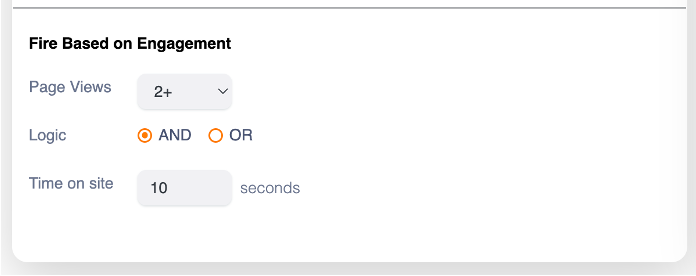
We monitor engagement based on number of pages visited and time on the website for the session. Choose your minimum levels for one or both parameters.
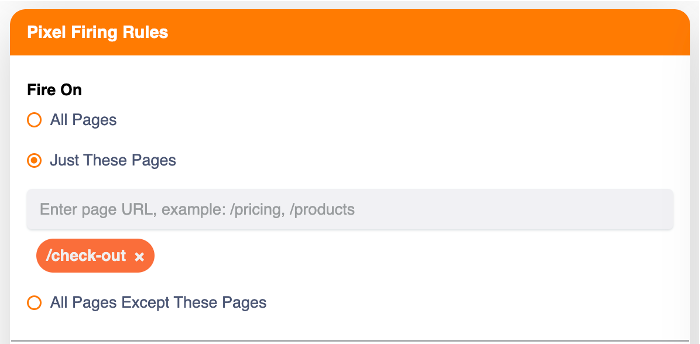
Pages to Fire On
To fire only on high-engagement sections of your website, simply enter the desired URL(s).
This can include product pages or the first page of a checkout or donation path.
Rules to Prevent Pixel Firing
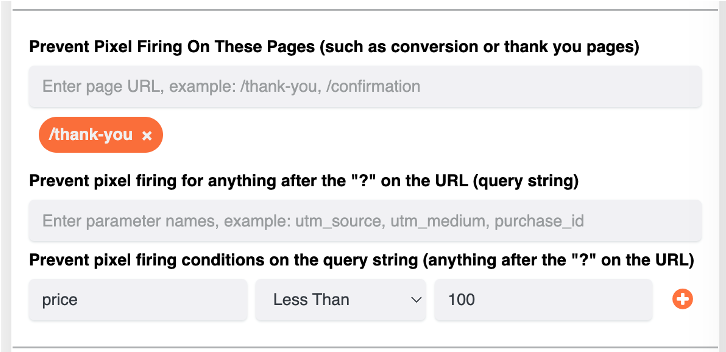
You can also prevent the pixel from firing by entering page URLs, strings to match on, or even specific query string values.
For example, you can prevent the pixel from firing if the visitor has already purchased or donated, or if the value in the cart is too low.
Capture Cart Value & Prioritize High-Value Shoppers
Visitor Connect can now capture the value of a shopper’s cart when they begin the checkout process, adding a powerful new intent signal to website visitor identification.
This allows marketers to identify and prioritize high-value abandoned carts and checkout visitors based on the potential value of the sale—not simply the fact that someone visited the website.
For example, you can:
- Identify visitors who started checkout but did not purchase
- Capture the dollar value of the shopping cart
- Prioritize higher-value opportunities for follow-up
- Set minimum cart-value thresholds for retargeting
- Use cart status and other checkout signals to further refine audiences
- Retarget identified shoppers through direct mail, email, or other channels
The result: Turn anonymous checkout activity into actionable, prioritized leads—so you can focus your retargeting investment on the visitors and abandoned carts with the greatest revenue potential.